


Configuring and managing your server
What is Minecraft Eaglercraft ?
Welcome to our comprehensive guide on Eaglercraft, a unique twist on the classic Minecraft experience! In this tutorial, we will explore what Eaglercraft is, its features, and how to set it up for your own gaming adventures. Dive in to discover how you can enhance your Minecraft gameplay with this exciting variation!

What Is Eaglercraft?
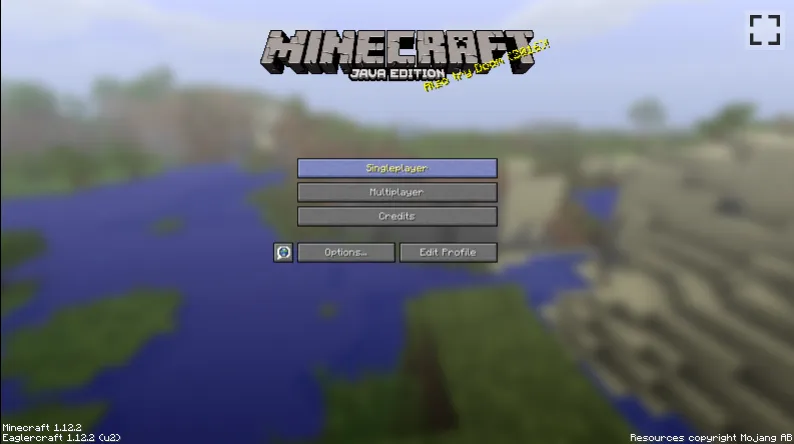
Millions of players worldwide love Minecraft, but not everyone is ready to pay for it. That demand has fueled a wave of third-party projects promising free access to the game. Eaglercraft is the most widely known of these: a browser-based port of Minecraft Java Edition that requires no download, no installation, and no Mojang account.
Created from 2021 onward by a developer known as LAX1DUDE, Eaglercraft reverse-engineered the original Java source code and recompiled it using TeaVM (Tea Virtual Machine), which performs ahead-of-time (AOT) compilation of Java bytecode into JavaScript. The result runs entirely inside a modern web browser, on Chromebooks, Windows PCs, Macs, Android, iOS, and, as the community jokes, even a smart fridge.
Because it is a direct port rather than a clone, it reproduces the actual gameplay logic of Minecraft rather than building an imitation from scratch. It is not affiliated with Mojang or Microsoft, and is not officially sanctioned by either company.
Which Minecraft Versions Can You Play?
Eaglercraft currently supports three versions, each with a different profile of stability and features:
The most popular and stable build. Focused on multiplayer. The go-to choice for the majority of players.
Most Stable
The first Eaglercraft release. Supports both single-player and multiplayer but is significantly feature-limited.
Legacy
Newer, still in active development. Broader single-player support, but may be unstable on some devices.
In Development
No modern Minecraft content
None of these versions include content released after 1.12.2: no Tridents, no Netherite, no Axolotls, no Caves & Cliffs, and no Cherry Blossom biomes. If the latest updates matter to you, Eaglercraft is not a substitute for the official game.
How Does Eaglercraft Work Technically?
Three core technologies make running Minecraft inside a browser possible:
01
TeaVM (Ahead-of-Time Compilation) Converts Minecraft's Java bytecode into JavaScript so it can execute directly inside a browser's JS engine. This is the core of the entire project.02
Custom OpenGL 1.3 Emulator Maps Minecraft's 3D rendering calls to WebGL on an HTML5 canvas, allowing real-time 3D graphics without native OpenGL support in the browser.03
WebAssembly (WASM-GC) Experimental builds compile to WASM instead of JavaScript, delivering roughly 50% higher FPS on Chrome and Edge. Safari support still lags behind.
World saves are stored in browser storage (IndexedDB/LocalStorage). Audio runs through the HTML5 Web Audio API, including a bundled OGG Vorbis decoder for iOS Safari compatibility.
What Is It Like to Play?
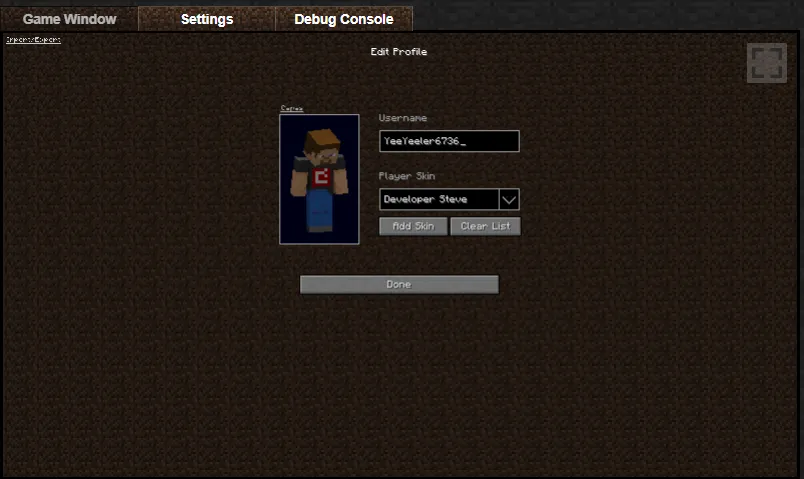
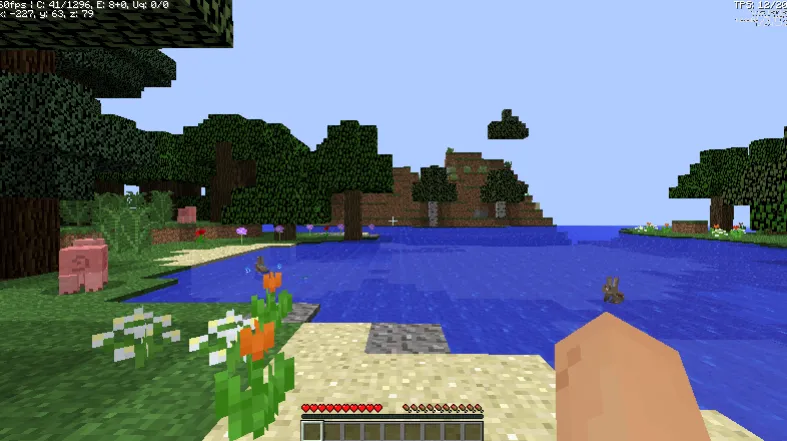
When you load Eaglercraft, you are greeted by a profile customization screen: set a username, pick a skin and cape, or upload your own skin file. The core experience will feel immediately familiar to any Java Edition player, with the same block mechanics, crafting system, and survival logic intact.
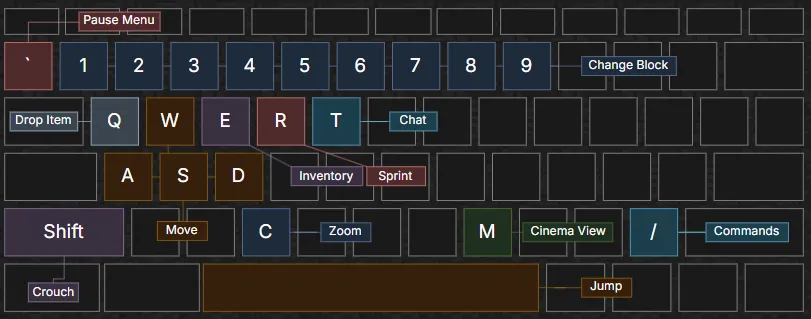
An FPS counter and tick rate indicator sit in the corner of the screen. Keyboard and mouse controls match the official layout exactly, so there is almost no relearning curve.
Single-Player vs. Multiplayer by Version
| Version | Single-Player | Multiplayer | Stability |
|---|---|---|---|
| 1.5.2 | △ Limited | ✓ Yes | ✓ Stable |
| 1.8.8 | △ Shared Worlds | ✓ Yes | ✓ Most Stable |
| 1.12.2 | ✓ Yes | ✓ Yes | △ In Development |
Public servers are fixed and shared among all players. You cannot connect to arbitrary third-party servers the way you can with an official Minecraft account. Chat and behaviour on public servers are generally unmoderated.
Eaglercraft Risks and Limitations
Eaglercraft is technically impressive, but comes with several concrete risks worth weighing carefully before using it.
Security and Privacy Risks
No Mojang Affiliation
Not endorsed or controlled by Mojang or Microsoft. No guarantees about how third-party hosting sites handle your data.
Malware Risk
The open-source code is legible, but unofficial hosting sites may bundle modifications, adware, or malicious scripts.
No Authentication
Servers must run in offline (cracked) mode. Player identity is unverified; bans and account protection are weakened.
Unmoderated Servers
Public servers lack active moderation. Chat and player behaviour can be inappropriate, especially for younger players.
Important safety note
If you do use Eaglercraft, only access it from well-known, reputable distributions. Never enter personal or payment information on any Eaglercraft hosting site.
Gameplay Limitations
- Locked to older versions. No Tridents, Phantoms, Netherite, Axolotls, Cherry Blossom biomes, or Sculk sensors.
- Lower performance than the desktop client. Running a 3D Java game in a JavaScript engine means a lower ceiling on FPS. Older hardware and slower connections may lag.
- No official mod support. The Forge and Fabric ecosystems are not compatible with Eaglercraft.
- Limited server access. You cannot join major servers like Hypixel or any server requiring a valid Mojang or Microsoft account.
Is Eaglercraft Legal?
This is the most-searched question about the project. The short answer: it is complicated. Eaglercraft is built from reverse-engineered and recompiled Minecraft code, which likely infringes on Mojang's intellectual property. Mojang's EULA explicitly prohibits redistribution of the game.
In 2023, Mojang issued DMCA takedown notices against major Eaglercraft repositories. The original GitHub repositories were removed as a result. The project has continued through mirror sites and community distributions, but its legal status remains uncertain and it is vulnerable to further action at any time.
Bottom line on legality
Using Eaglercraft for personal, non-commercial purposes may carry lower practical risk than distributing it. But it does not resolve the underlying copyright issues. The official game is the only path without legal ambiguity.
Who Actually Uses Eaglercraft?
Eaglercraft exploded in popularity between 2021 and 2022, driven primarily by school students on Chromebooks, where installing the official Minecraft Java launcher is impossible. Playing in a browser tab, with no installation required, made it accessible in environments where gaming software is blocked by IT policy.
Clips shared on TikTok, showing players on low-end school hardware, gave the project viral reach and promoted its most popular servers. Peak usage historically happens during school lunch breaks and after school hours. This context matters: Eaglercraft's primary use case is students circumventing school restrictions, not a practical home gaming alternative.

Should You Buy Minecraft Instead?
If you have access to a PC, Mac, mobile device, or console and you enjoy Minecraft enough to play it regularly, the official game is the better choice, not just for ethical reasons but for practical ones.
What official Minecraft gives you
Every one of the features below is unavailable or broken in Eaglercraft.
- All updates beyond 1.12.2
- Join any public server
- Full Forge and Fabric mod support
- Minecraft Realms hosting
- Bedrock cross-play on all platforms
- Official technical support
- Verified account identity
- Regular security patches
Frequently Asked Questions
These are the questions players search for most often about Eaglercraft.
Conclusion
Eaglercraft is a technically remarkable achievement: a full browser-based port of Minecraft Java Edition that works on virtually any device with a modern web browser. For students on school Chromebooks with no other options, it fills a genuine gap.
But for anyone who has a choice, it comes with meaningful trade-offs: older game versions, browser performance limits, unmoderated servers, legal uncertainty, and real security risks depending on where you access it. If you are serious about Minecraft, the official game gives you everything Eaglercraft cannot: current updates, full server access, mod support, and a secure verified account.