


Minecraft Java 26.1 : The Tiny Takeover Update
Mar 26, 2026 · 5 min read

Minecraft Java Edition 26.1 is officially live, and Mojang is calling it the cutest drop in Minecraft history. Known as the Tiny Takeover update, it focuses less on new biomes or dimensions and more on improving existing systems.
At first glance it might look like a small update. But once you dig deeper, it touches everything from mob design to world storage and even how the game handles memory. Whether you are playing survival or managing a Minecraft server, this update has real impact.
In this guide you will find:
- a complete breakdown of the Golden Dandelion mechanic
- the full list of redesigned baby mobs and behaviour changes
- craftable Name Tags and the new trading system
- technical changes every server administrator needs to know
🌼 Golden Dandelion: The Most Important New Feature
The Golden Dandelion is the headline addition of Java 26.1, and it introduces something players have wanted for a long time: permanent control over mob ageing.
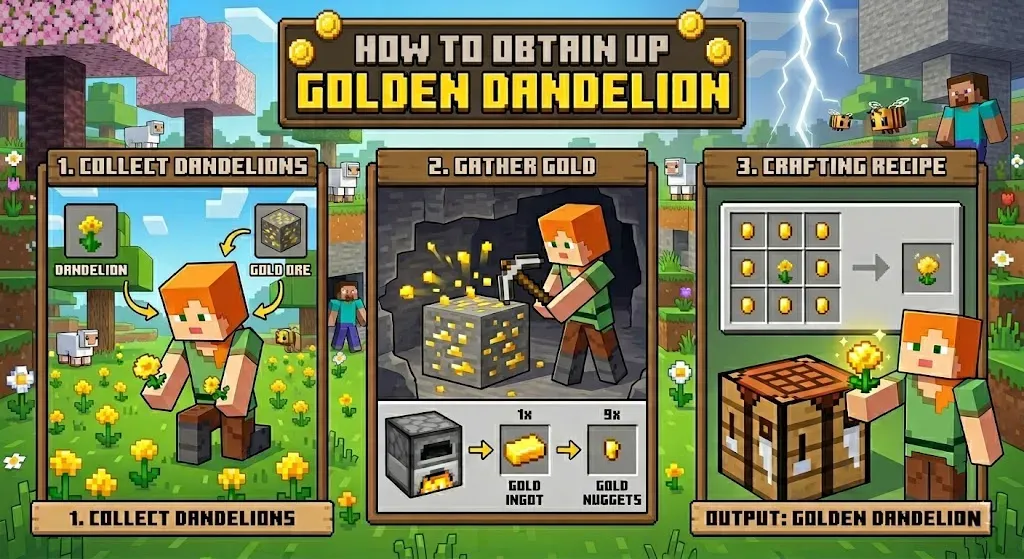
How to Craft the Golden Dandelion
Combine a regular Dandelion with Gold Nuggets in a crafting table. The recipe is intentionally simple and accessible very early in a survival playthrough.
How It Works
Right-click any baby mob while holding the Golden Dandelion. Green particles will drift downward, confirming that ageing has been frozen. The mob stays in its baby form permanently, which is perfect for decorative builds, zoos, or compact farms.
To reverse the effect, right-click the same mob again with the Golden Dandelion. Green particles will drift upward, signalling that normal ageing has resumed.
Limitations
The Golden Dandelion does not work on undead baby mobs such as Zombie Horses, Zombified Piglins, Husks, or Drowned. It also cannot be used on baby Villagers. Outside of those cases, it works consistently across all other baby mobs.
🐣 Baby Mob Overhaul: Every Model Rebuilt From Scratch
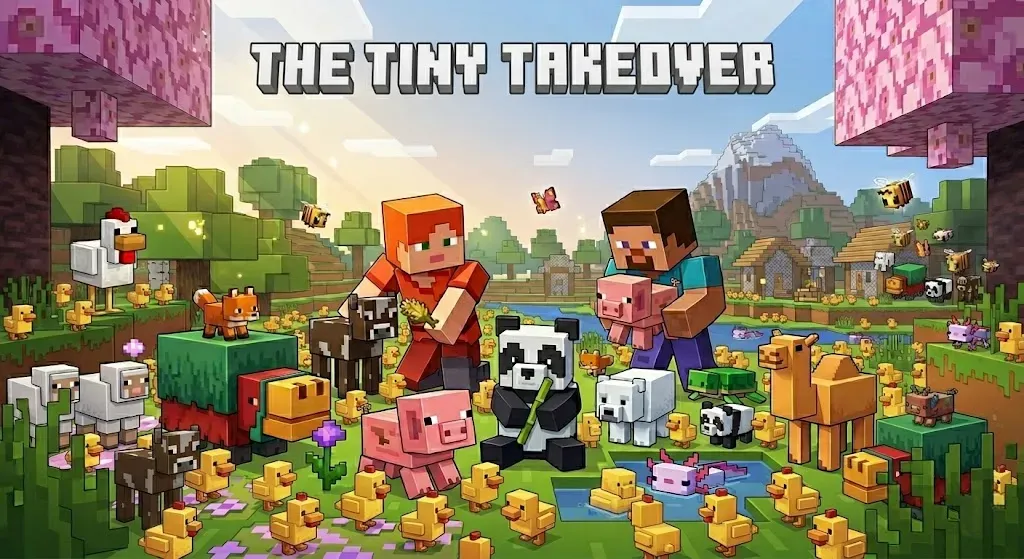
Another major part of Java 26.1 is the complete redesign of baby mobs. Instead of simply shrinking adult models, Mojang has rebuilt them with proper proportions, new textures, and new animations.
This change might seem cosmetic at first, but it has a noticeable effect on how the game feels. Animals look more natural, movements are smoother, and interactions feel less awkward, especially on busy servers with lots of mobs active at once.
Full List of Redesigned Baby Mobs
Cow, Mooshroom, Sheep, Pig, Cat, Ocelot, Wolf, Chicken, Rabbit, Horse, Donkey, Mule, Camel, Llama, Bee, Fox, Goat, Armadillo, Polar Bear, Panda, Snifflet, Dolphin, Squid, Glow Squid, Turtle, Axolotl, Strider, Hoglin, Zoglin, Zombie, Husk, Drowned, Piglin, Zombified Piglin, Villager, and Zombie Villager.

Notable Behaviour Changes
Baby Polar Bears no longer attack Foxes. Armor no longer renders incorrectly on baby Wolves. Saddles no longer appear on baby Pigs or baby Camels. Rabbits, both adult and baby, received entirely new animations alongside their model redesign. Bounding boxes have also been corrected across many mobs to better match their new models.
These are minor changes individually, but together they make the game feel significantly more polished.
🔊 New Sounds and More Immersive Audio
Dedicated Baby Mob Sounds
Baby mobs now have their own dedicated sound sets instead of using pitch-shifted adult voices. Wolves, Cats, Pigs, Horses, and Chickens each have unique vocalisations for their young, making them feel far more distinct and alive.
Adult Animal Sound Variants
Adult animals have also received a new sound variant system. Cats, Pigs, Cows, and Chickens are each randomly assigned a sound variant at spawn. Original sounds are preserved as the classic variant, adding subtle diversity to the world and reducing audio repetition over long play sessions.
Trumpet Note Block
A new trumpet instrument is available on Note Blocks placed on Copper Blocks. The sound changes depending on the oxidation level of the block beneath it, giving players four distinct trumpet tones from a single setup. It is a small feature with significant potential for redstone contraptions and music builds on creative servers.
🏷️ Craftable Name Tags and Trading Changes
Name Tags Are Finally Craftable
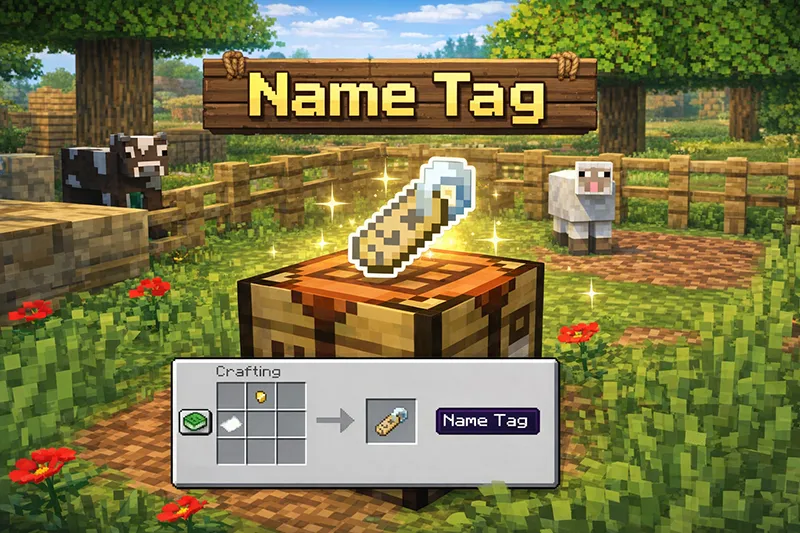
Combine 1 Paper and any Metal Nugget, including Copper, Iron, or Gold, to craft a Name Tag. This removes one of the most frustrating grinds in survival gameplay and makes naming pets and mobs far more accessible on any server.
As a direct consequence, Name Tags have been removed from Ancient City and Woodland Mansion loot chests. Master Librarians no longer offer them as trades. The Wandering Trader now sells Name Tags for 1 Emerald each.
Villager Trade Overhaul
Villager trades are now fully deterministic. Trade pools for each profession are generated using a seeded random sequence tied to the world seed, meaning the same world will always produce the same initial trade offers. Re-rolling a Villager still introduces randomness, but that randomness is itself seeded and reproducible.
Trades are also now entirely data-driven, giving data pack creators full flexibility to define, modify, and add custom trade pools. This is a significant change for server communities running custom economies or progression systems.
🪨 Stonecutter Improvements
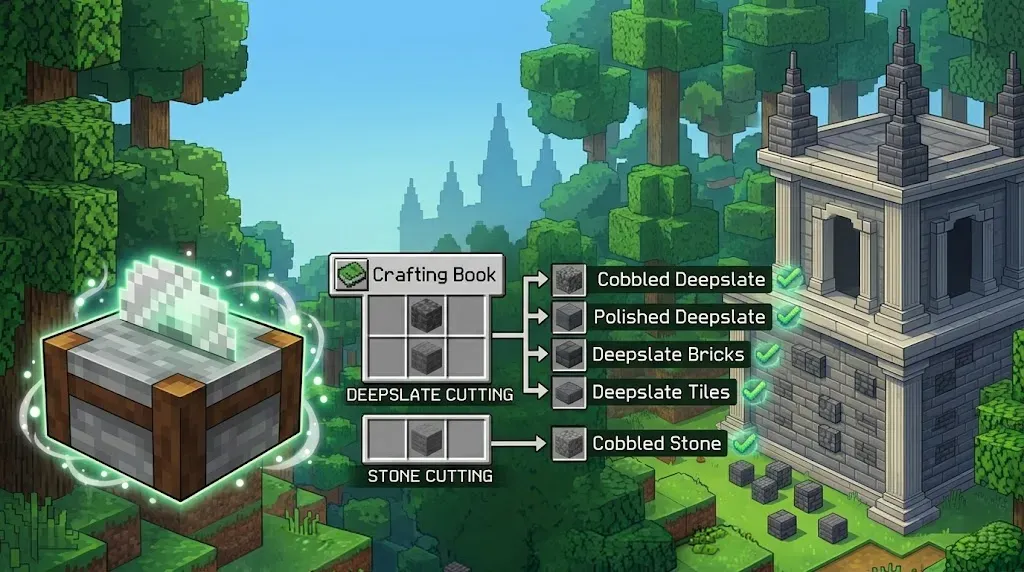
The Stonecutter has received a meaningful quality-of-life upgrade. Deepslate can now be cut directly into its cobbled, polished, brick, and tile variants in a single step. Stone can be cut directly into cobbled variants as well. Less back-and-forth at the crafting table, more time spent building.
⚙️ Technical Changes Every Server Administrator Should Know
Fully Rewritten Lighting Engine
The algorithm that maps block and sky light levels to on-screen brightness has been completely rebuilt. The Darkness effect and Wither fight darkening now behave consistently across all dimensions. Night Vision adds ambient light instead of scaling colours, meaning truly dark areas stay dark even with Night Vision active. Several long-standing visual inconsistencies have been resolved as a result.
World Storage Restructuring
The file structure for world data has changed significantly. All dimensions are now stored in a dedicated dimensions/ subfolder. Overworld data has moved to dimensions/minecraft/overworld. Nether data has moved to dimensions/minecraft/the_nether. End data has moved to dimensions/minecraft/the_end.
Player data has been reorganised into a players/ subdirectory. World-specific data files are now namespaced into subfolders.
For server administrators, this means existing worlds require an upgrade before they can load. The game will display an "Upgrade and Play" button instead of the standard play option. Always back up your server world files before applying the 26.1 update.
Java and Memory Requirements
Minecraft Java 26.1 now requires Java 25 and ships with the Microsoft build of OpenJDK 25. Default RAM allocation has increased from 2 GB to 4 GB. The garbage collector has been switched from G1GC to ZGC for compatible devices, producing a more stable framerate during memory-intensive operations.
Server administrators using third-party launchers or custom JVM configurations should review their settings before updating, as third-party launchers may not automatically support these changes.
New Commands and Debug Tools
A new /swing command allows operators and map makers to trigger entity arm swing animations. A new lightmap debug renderer is accessible via F3 + 4. The World Options screen has been added to the pause menu, consolidating difficulty and game rule settings in one place. A search bar has been added to the Game Rules screen as well.
A New Version Naming System
Starting with this release, Minecraft Java Edition has moved away from the traditional 1.X.X numbering format. Updates are now labeled by year and release order. Java Edition 26.1 simply means the first major update of 2026. This makes version tracking clearer and aligns Java Edition more closely with how other live-service games communicate their update cadence.
❓ Frequently Asked Questions
What is Minecraft Java Edition 26.1?
It is the first major Java Edition update of 2026, focused on quality-of-life improvements, baby mob redesigns, and significant technical upgrades including a rewritten lighting engine and reorganised world storage.
What does the Golden Dandelion do?
It permanently stops a baby mob from growing into an adult. The effect can be reversed at any time by right-clicking the mob again with the Golden Dandelion.
Can you craft Name Tags in Java 26.1?
Yes. Combine 1 Paper with any Metal Nugget at a crafting table to obtain a Name Tag.
Is the 26.1 update safe for servers?
Yes, but you must back up your world files before updating due to significant changes in world storage structure and Java version requirements.
What does the new version numbering mean?
Java Edition now uses a year-based naming system. 26.1 means the first major update of 2026. Future updates will follow the same pattern.
Get Started with a
Minecraft Server
Looking to create your own minecraft server? It only takes a few minutes.